
A five-minute product tour
A clearer picture,
one step at a time.
See how a fictional household reviews spending, keeps dollars and pesos clear, and makes a plan together.
These are real screens from Frwrd’s current private-pilot interface. Every name, account and amount shown is example data. Public product signup is not open yet.
Start with the month.
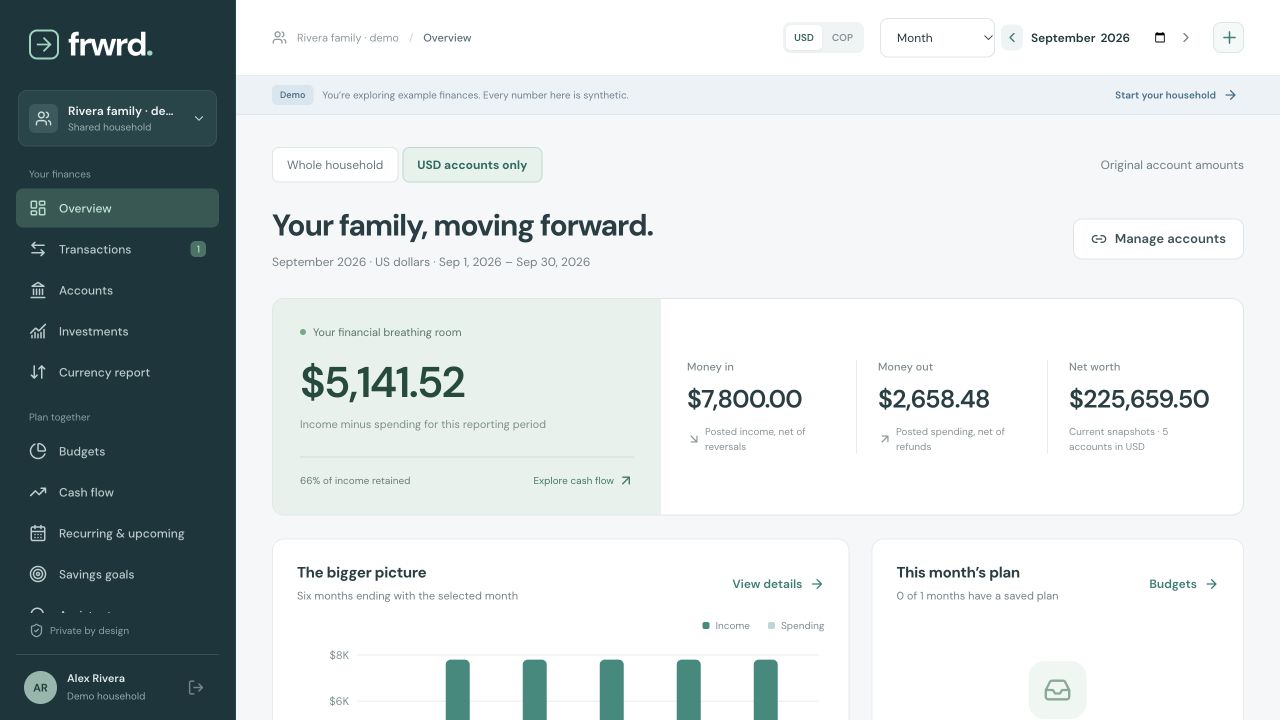
Choose the period and currency before reading a total. In this fictional September, the household has USD 7,800 of recorded income and USD 2,658.48 of spending. The difference is USD 5,141.52.
The picture depends on the records included. Account balances are current snapshots, separate from the month’s activity.
Give pesos their own context.
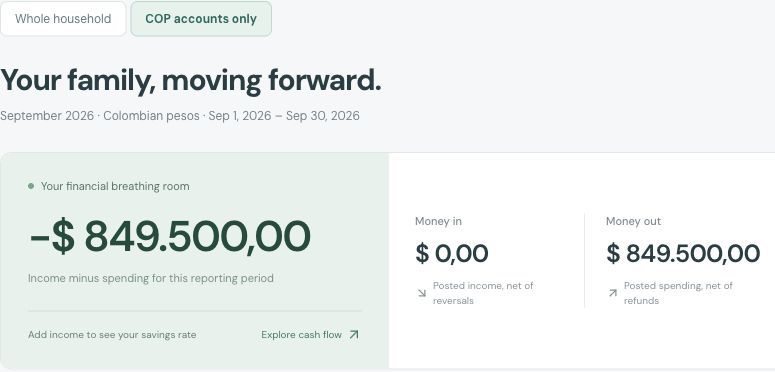
Switch to COP to see original peso amounts. This example has COP 849,500 of September spending and no recorded COP income. It is one currency’s activity, not the whole household’s result.
Whole household can combine USD and COP using dated reference rates. Missing rates are flagged. These are reporting estimates, not a currency-exchange service.
Make a little review a shared habit.
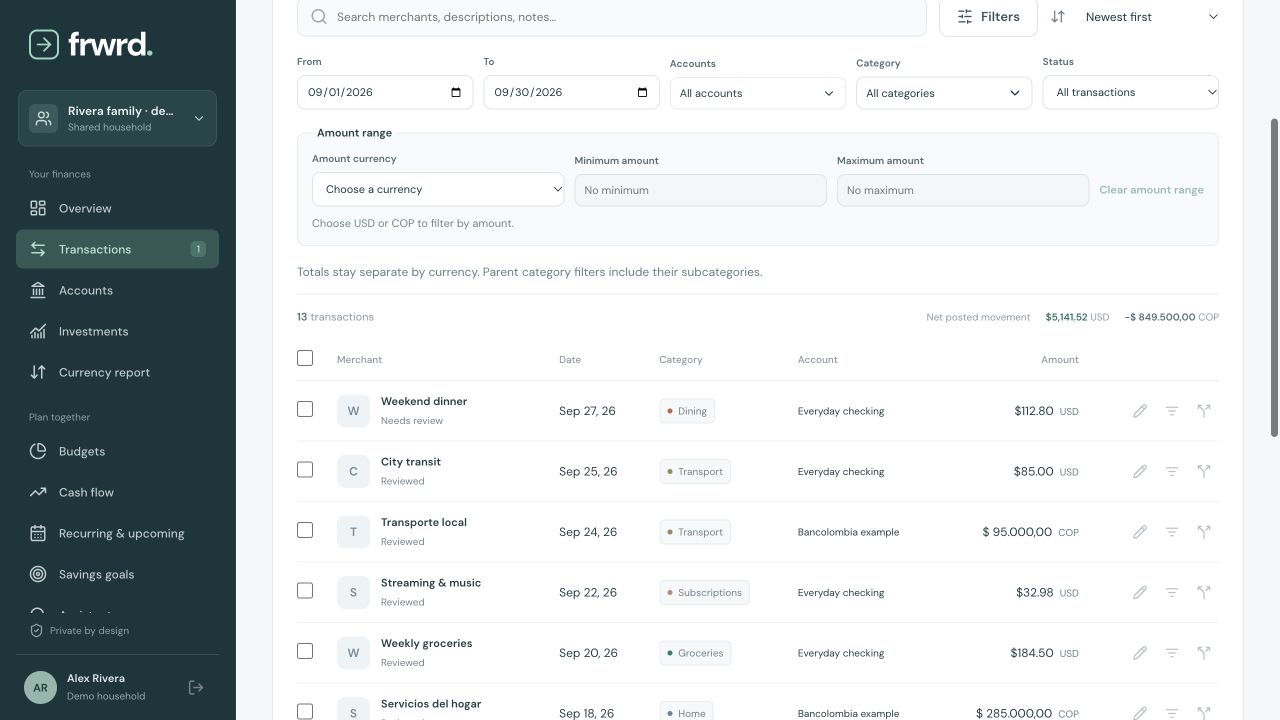
Find a transaction and check its merchant, category and amount. Here, Weekend dinner is USD 112.80. Original USD and COP amounts stay labeled, even when the rows appear together.
Mark as reviewed is a shared checklist. It does not change the total, move money or mean that both people separately approved a payment.
Give one category a plan.
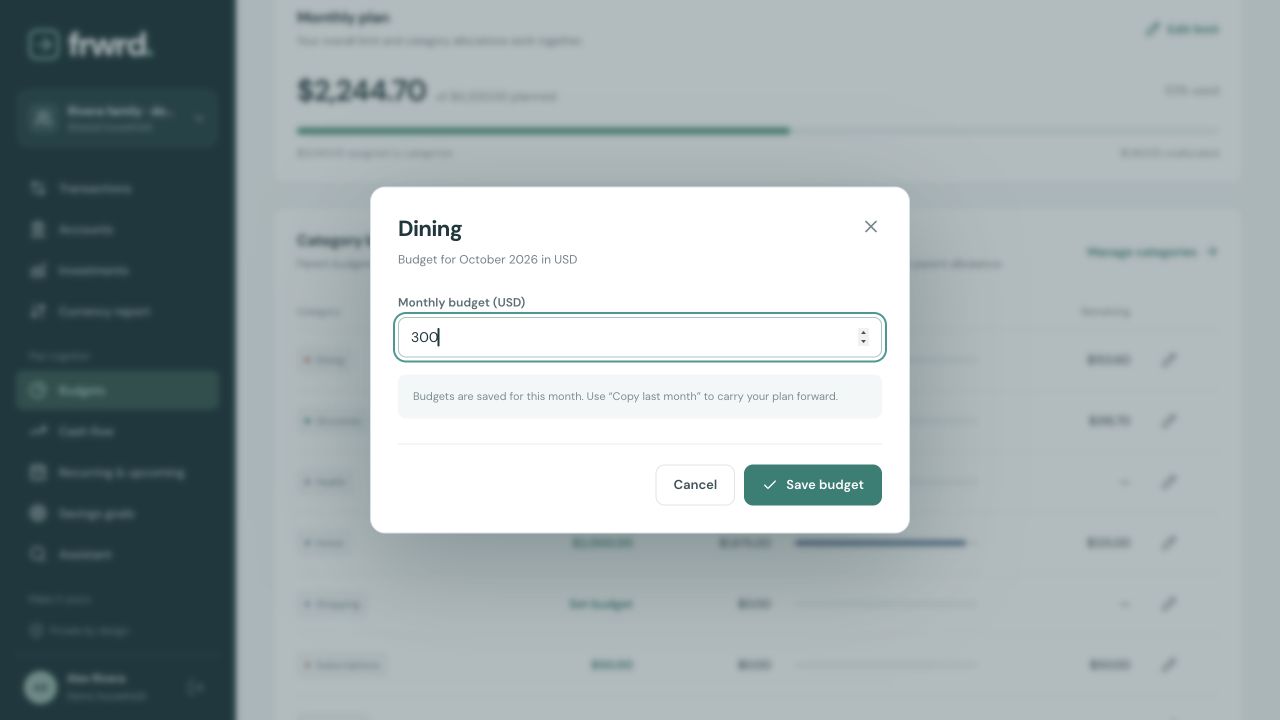
Move from September’s activity to October’s budget. Change Dining from USD 240 to USD 300, then save. You have made a planning choice together without changing the spending already recorded.
Budgets belong to the selected month and currency. This screen shows the edit before Save budget.
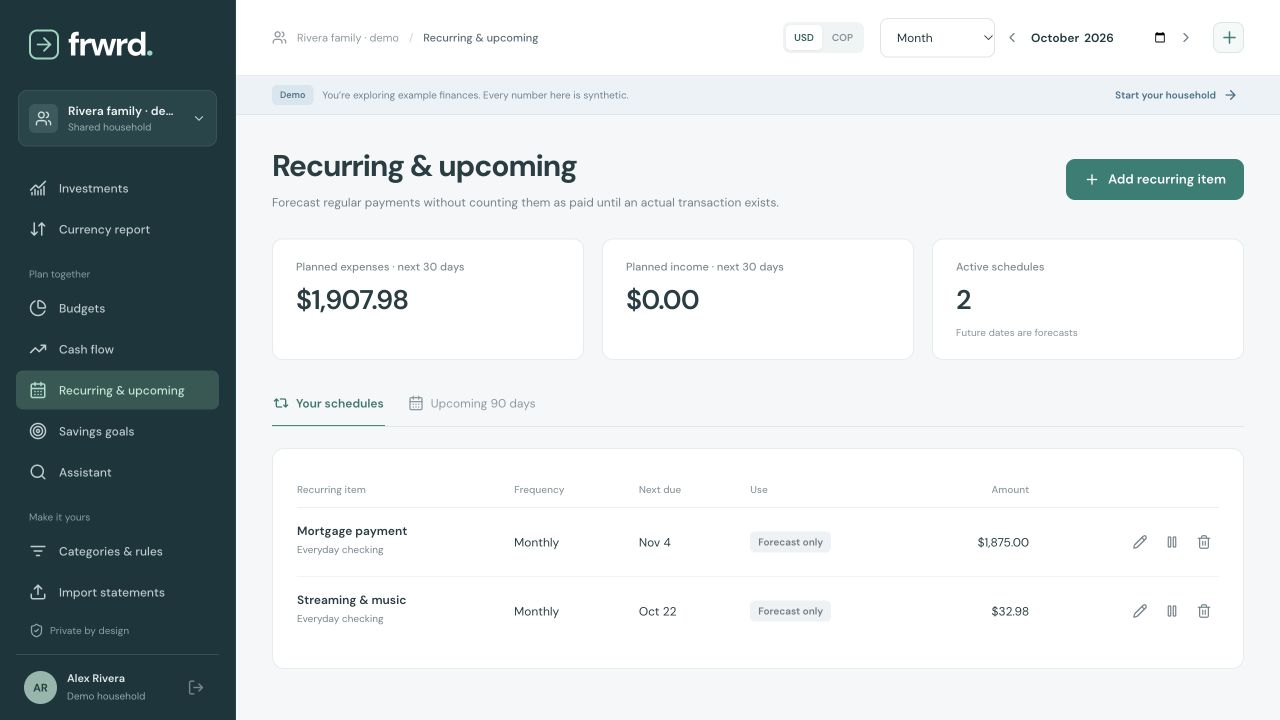
See what is coming.
Keep regular bills and subscriptions visible before they arrive. The upcoming mortgage and streaming payments shown here are forecasts, separate from posted spending.
Adding a schedule does not pay a bill or initiate a transfer. The Forecast only label keeps that distinction visible.
Check the statement before saving.
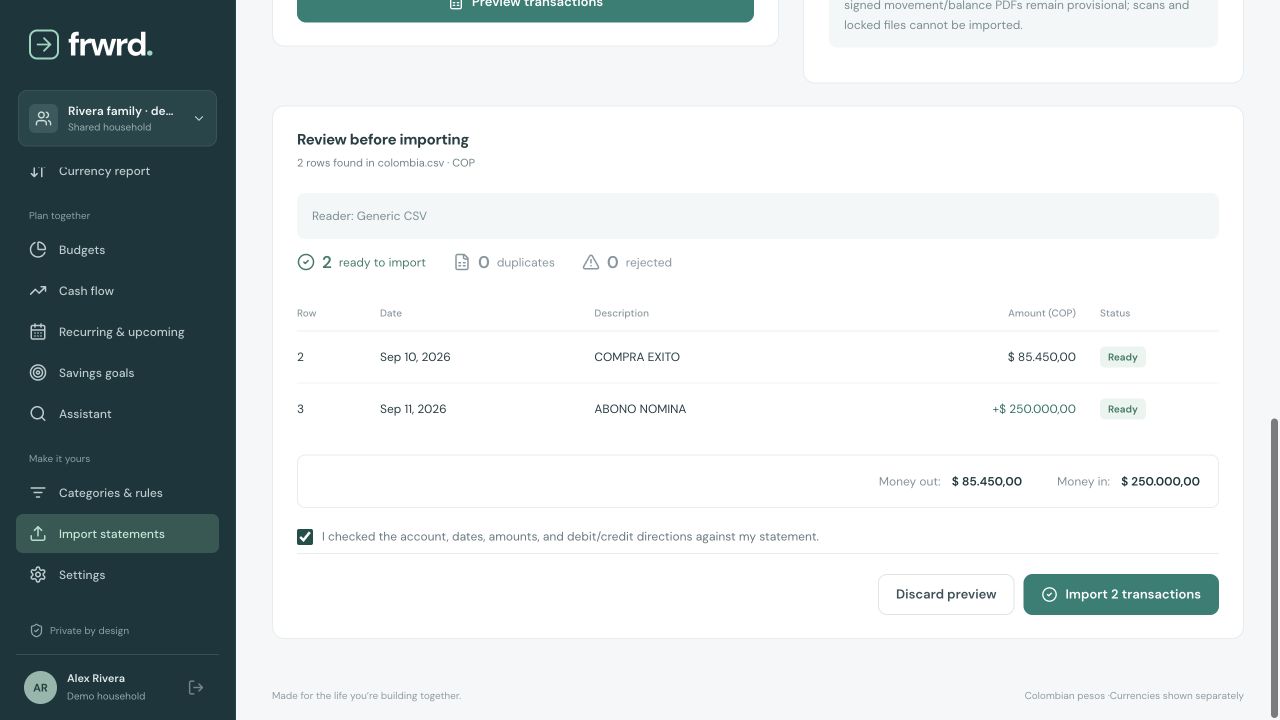
Choose the matching account and currency, upload a supported file and review the preview. This fictional CSV has a COP 85,450 expense and COP 250,000 income. Check the dates and debit/credit directions before confirming.
Supported Colombian statement imports are different from live Colombian bank sync. Not every PDF format is supported.
Would this help
your household?
We’re preparing a small pilot. Join the free early-access list and we’ll contact you when a suitable place is available.
Join early accessNo card. No product account or subscription is created by joining.